Running, Rosy Cheeks and Rolled-Up Sleeves: Editing Sports Day Photos Without the Plastic Polish
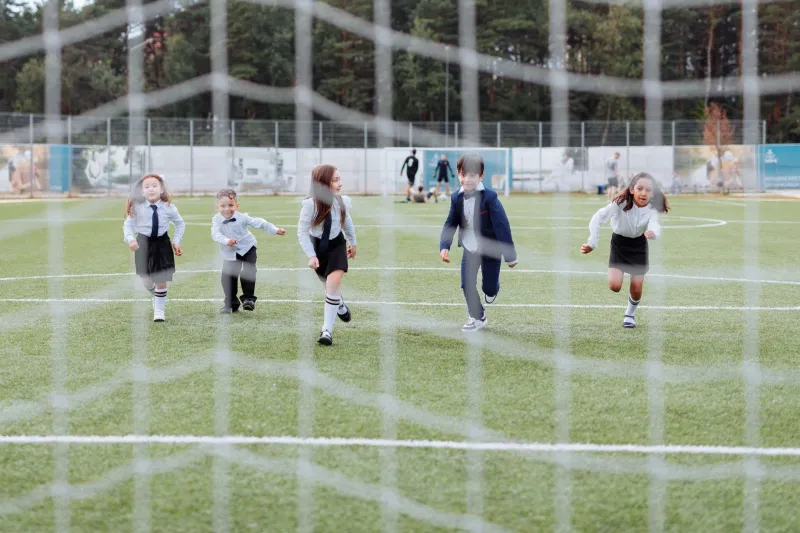
School sports day is a brilliant photographic mess. One minute you are tracking a Year 4 sprint finish in full sun, the next you are under a gazebo photographing a parent wrestling with a sun hat and a slice of flapjack. The light is harsh, the backgrounds are busy and the children are red-faced, shiny and moving faster than your autofocus would like. The goal is not to make the day look like a catalogue shoot. It is to bring back what it felt like, without turning anyone into a plastic figurine.
Start with a cull that respects context
Before you touch a slider, check the school's media consent list. If a child is not cleared for public use, that image does not go near a newsletter, website or social post. Keep those frames in a private folder and do not mix them with the ones you plan to publish. This is not red tape for the sake of it; it is the difference between a helpful parent volunteer and a safeguarding headache.
Cull in bursts, not single frames. Pick the shot where the expression works and the action reads clearly. A slightly softer frame with real joy often beats a pin-sharp one where the runner looks like they are waiting for a bus. Rename files with the date and a frame number rather than a child's name, and strip location metadata before anything leaves your machine if the school asks you to.
Fix exposure locally, not globally
Midday sun at a British sports day is unforgiving. White vests blow out, shadows under caps go black and the grass turns into a radioactive green. Resist the urge to drag the exposure slider until everything looks flat. Open the raw file in Camera Raw as a Smart Filter, then work with masks.
Pull highlights down enough to recover the vest and the odd glint on a forehead. Lift shadows gently under hats and in the shaded queue for the long jump. Use a linear gradient or a soft brush mask rather than a global shadow lift, because the last thing you want is a grey, lifeless field. If the sky is a blank white lid, do not fake a dramatic sunset. A modest highlight recovery and a crop that keeps the attention on the children will do more for the picture.
For faces in open sun, a small radial mask can bring down the brightest patch on the forehead and nose without changing the whole image. Keep the effect subtle enough that you cannot see where the mask ends. The same goes for shaded marquees: lift the shadows just enough to show eyes and expressions, then leave the rest of the scene alone.
Rescue red faces without turning them grey
Heat, effort and a bit of sun cream can make skin look much redder than it did in real life. The rookie move is to desaturate reds across the whole image, which turns lips grey and makes everyone look slightly unwell. Instead, sample a patch of skin and make a targeted adjustment.
In Camera Raw, try a modest drop in red saturation and a tiny lift in red luminance, then compare the face with a neutral reference such as a white shirt or a grey marquee leg. In Photoshop, a Hue/Saturation layer with a mask limited to the face is often enough. If the white balance is off, fix that first; a warm cast will make every skin tone look flushed even when the child is perfectly calm.
Keep the ears, cheeks and noses looking alive. Sports day should show effort. You are removing the camera's exaggeration, not erasing the fact that they have just run 200 metres in a woolly cardigan because the forecast said showers.
Sharpen moving children without crunchy edges
Action shots need help, but the standard sharpening sliders can produce halos around limbs and a nasty crunchy texture on grass. Work on a duplicate layer, apply Smart Sharpen with a small radius and a threshold that protects smooth skin, then mask the effect to the subject. A luminance mask can help you avoid sharpening noisy shadow areas.
Avoid heavy Clarity or Texture on faces. It makes children look like they have been carved from sandstone. If the frame has genuine motion blur, do not try to rescue it with aggressive sharpening; pick a cleaner frame instead. For the newsletter, a little output sharpening at export size is far more useful than over-sharpening the full-resolution master.
Deal with cluttered backgrounds honestly
A school field is never tidy. There are cones, discarded water bottles, a stray parent with a folding chair and a line of portable toilets that always seem to be exactly behind the finishing tape. Crop first. A tighter crop around the runner and the tape often removes the worst of it and gives the image more energy.
For small distractions, a gentle Content-Aware Fill or clone job is fine, but keep it modest. Do not remove people who were part of the scene, and never alter anything that could matter for safeguarding or school records. A subtle vignette can pull the eye in without pretending the background was empty. If you would not do it to a wedding photo, do not do it here.
Match the mixed light without forcing it
Shade under a marquee is cooler than open sun, and that is fine. Do not try to make every frame identical. Correct obvious colour casts, then leave the sequence alone. If you are delivering a set, use a contact sheet to spot the frames that look wildly different, and fix only those. A little variation feels natural; a batch of orange children and blue children does not.
A quick export routine for newsletters and parents
Make two export presets and stop thinking about it. For the school newsletter, export sRGB JPEGs at around 1600 pixels on the long edge, quality 75 to 80, with screen sharpening. For parents who want a copy, use a larger long-edge size if the school permits it, and deliver through the approved platform rather than a random cloud link.
Use File > Export > Export As in Photoshop and save the preset. If you have a whole batch, record a simple action or use Image Processor, but check a handful of results before letting it run. Keep the names boring and consistent: sportsday-2026-frame0123.jpg is perfect. No child names, no GPS data, no accidental exhibition of the school car park.
Finally, keep the masters. The newsletter version is a delivery file, not an archive. When the day is done, the best edit is the one that still looks like sports day: sunny, slightly chaotic and full of real faces.